We're building a completely new Brainio
Team productivity goes multiplayer. See what's coming.
The notepad
for people thinking
visually.
A Markdown-powered notepad that turns your notes into visual mind maps. Write, link ideas together, and see the big picture.
Brainio visualizes your thoughts.
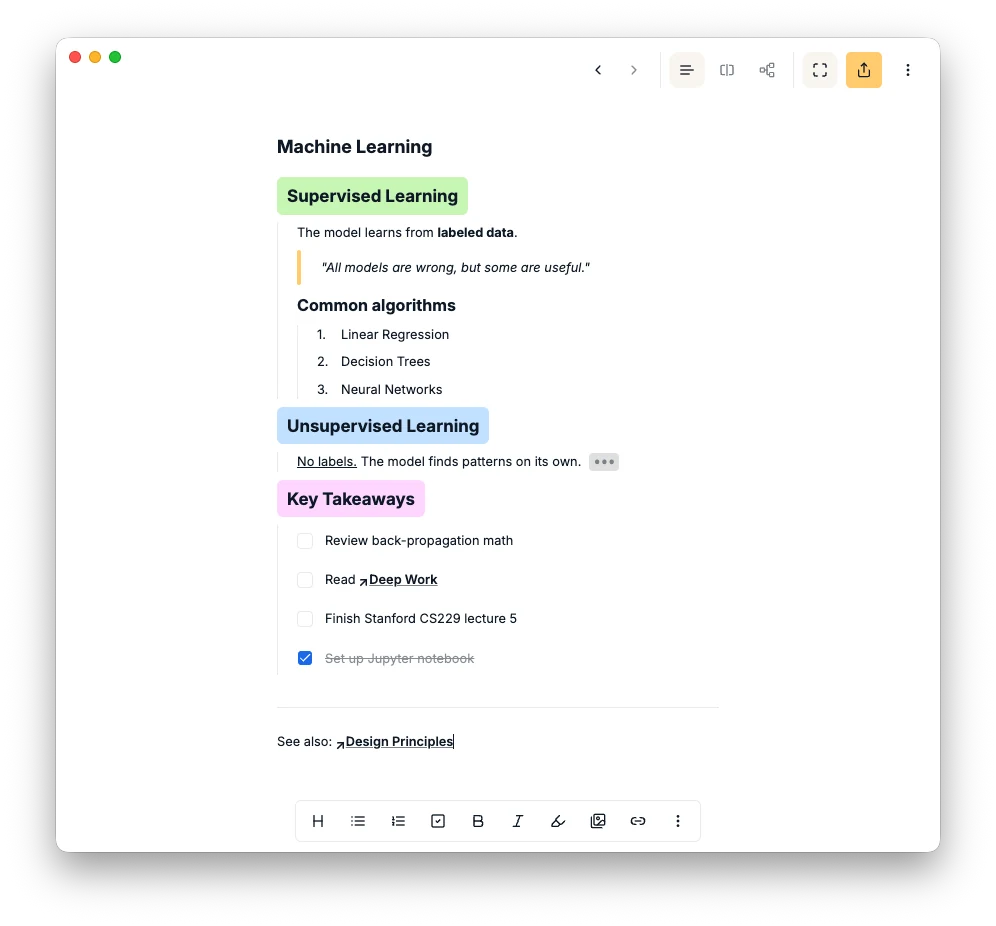
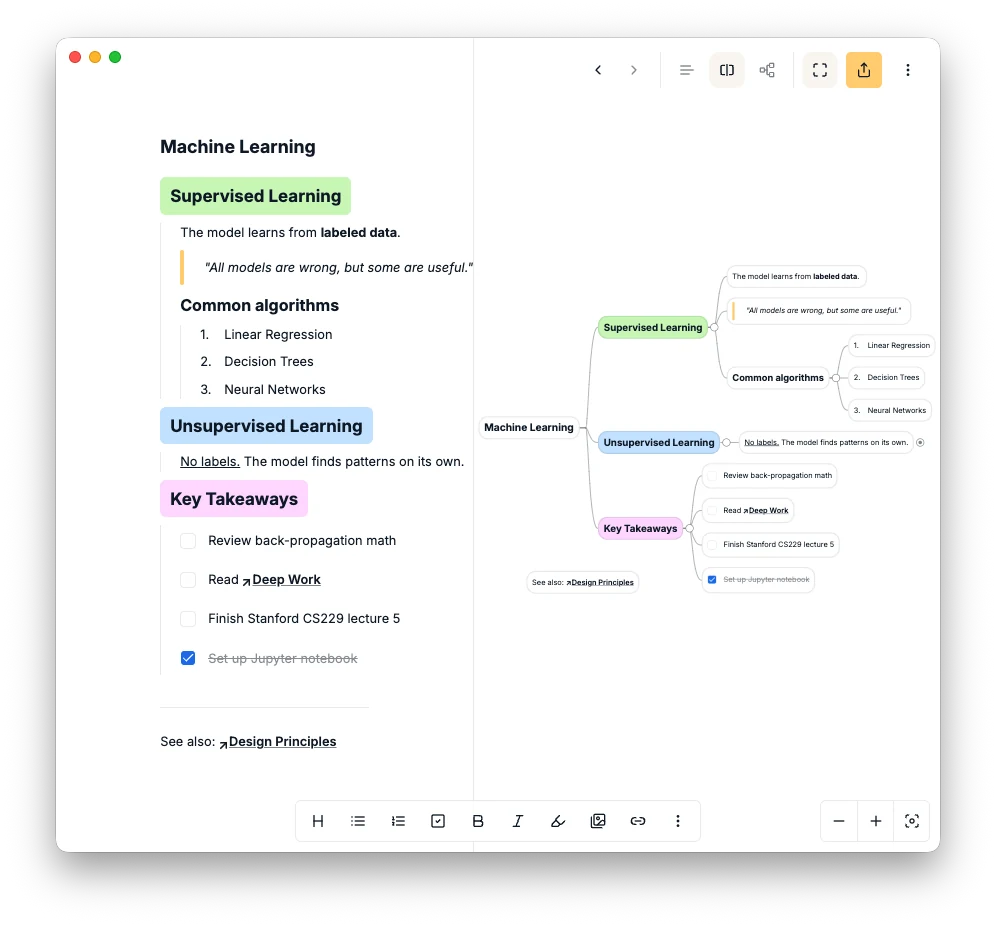
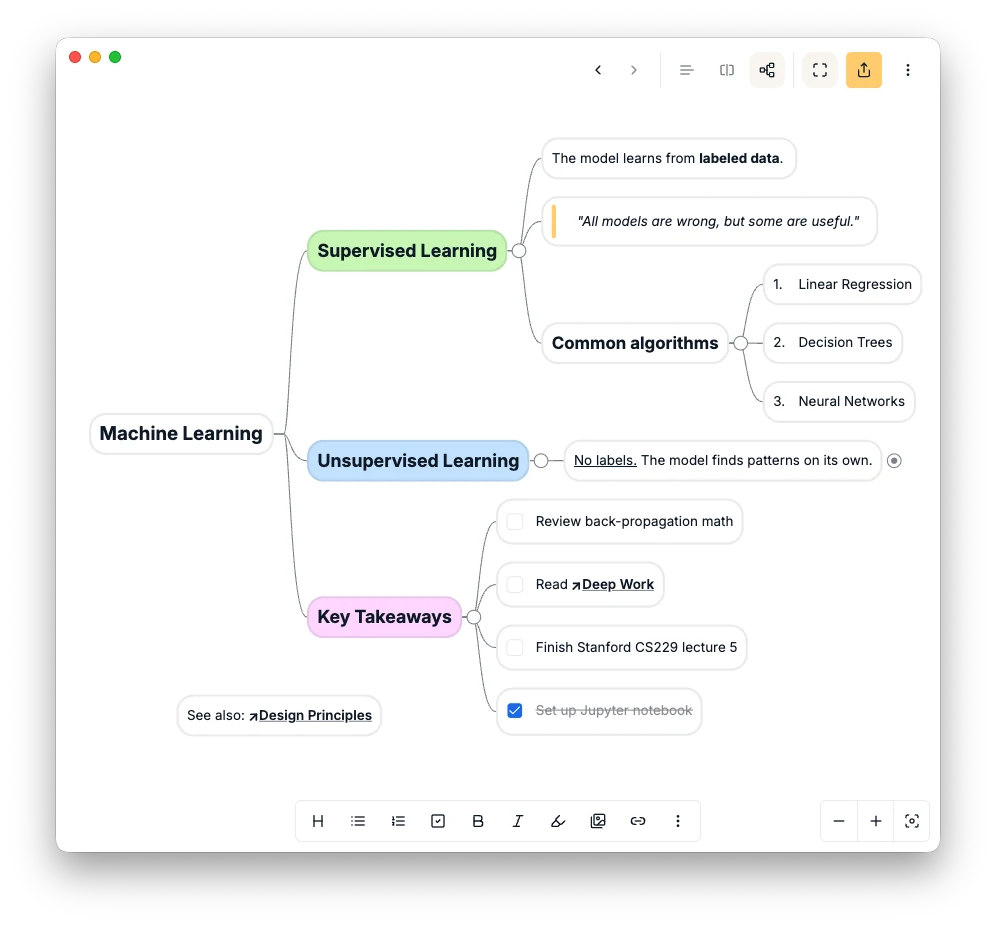
Trace a path through your ideas.
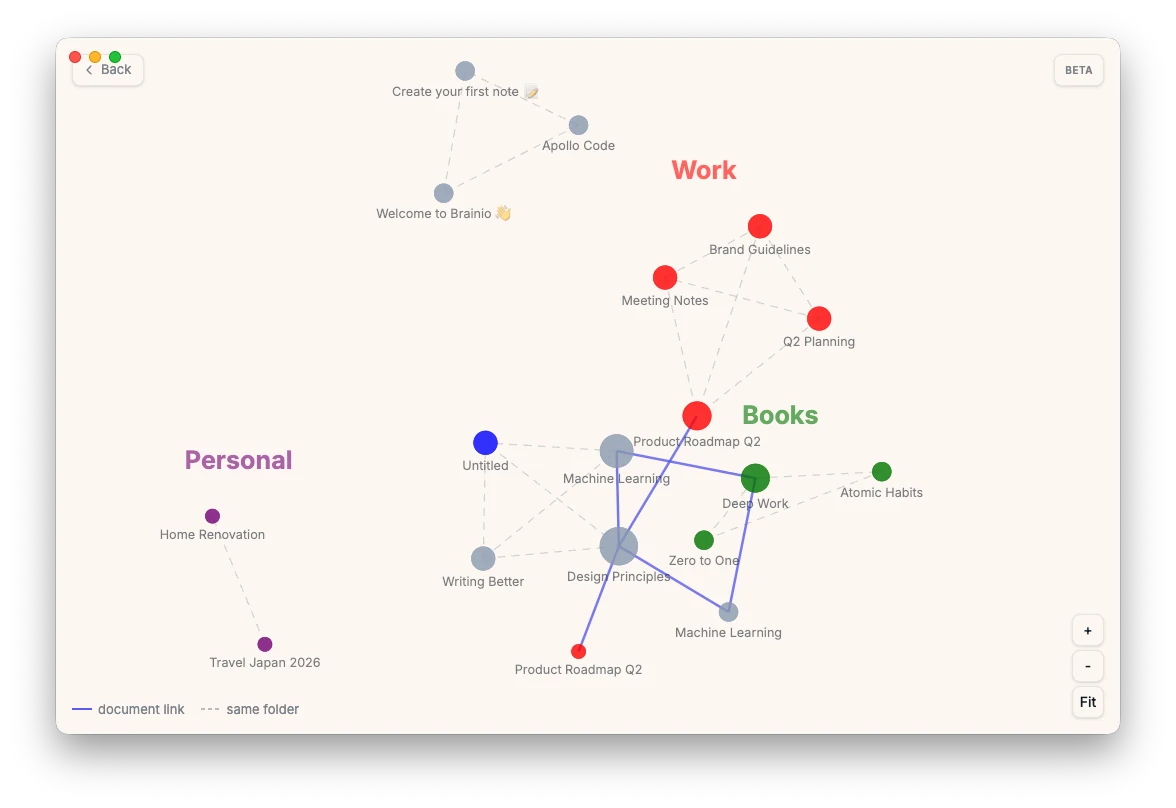
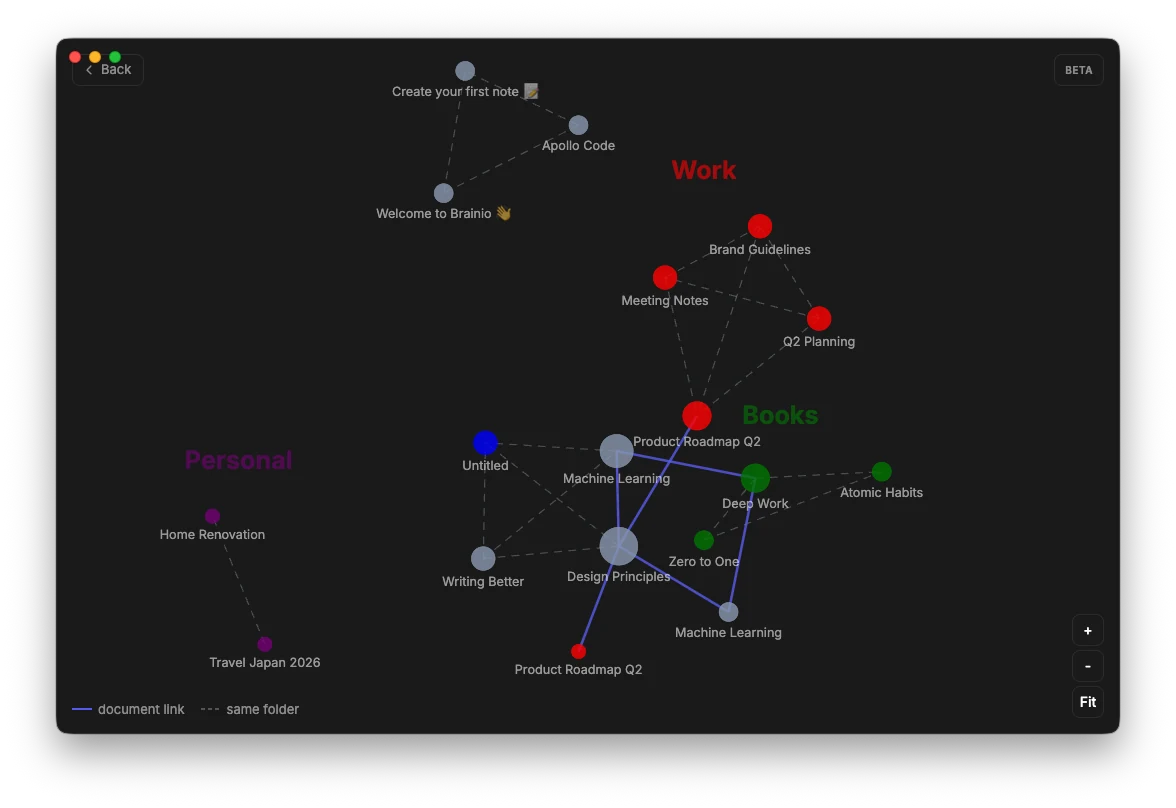
See how all your documents connect.
Edit together, in real time.
Bring Brainio into your favorite AI.
- "Summarize my workspace this week"
- "Find every note about onboarding"
- "Draft a follow-up from yesterday's meeting"
- "Add three branches to my product map"
Connect Brainio inside the AI assistant you already use, with the open MCP standard. No plugins, no setup.
Is Brainio really free?
Yes. Brainio is completely free with no document limits, no paywalls, and no hidden fees. We removed the paid plan entirely.
What changed in the new Brainio?
We rebuilt Brainio from the ground up. All your documents and data carry over automatically. The new version uses email and password for sign-in (not username), with Google sign-in support. If you had the old desktop app, you’ll need to uninstall it and download the new version. Everything else works as before.
What happens to my paid subscription?
Since Brainio is now completely free, we’ve disabled auto-renewal on all existing subscriptions. If you were on a monthly or yearly plan, no further charges will be made. You don’t need to do anything.
How does indentation work?
Indentation is the core of how Brainio structures your mind map. Press Tab to indent a line and make it a child node. Press Shift+Tab to outdent. Press Shift+Enter to add a new line within the same node without creating a new branch. The deeper you indent, the deeper the branch in your mind map.
What is Markdown?
Markdown is a simple way to format text using symbols like # for headings, ** for bold, and - for lists. You don’t need to know Markdown to use Brainio. Just write normally and use the toolbar to format your notes.
How does collaboration work?
Share any document by inviting people via email. Set permissions to Owner, Editor, or Viewer. Everyone sees live cursors and changes sync instantly. You can also share a public read-only link with anyone.
Can I export my notes?
Yes. You can export your documents as PNG, PDF, Markdown, or plain text. Your data is never locked in.
What is the MCP integration?
MCP (Model Context Protocol) lets AI assistants like Claude, ChatGPT, or Cursor connect to your Brainio notes. Your AI can read, search, and edit your documents directly.
Is my data private and secure?
Yes. Your data is encrypted in transit, we never sell your information, and we don’t show ads. Read our Privacy Policy for full details.
Works on every desktop,
mobile coming soon.
Brainio is a desktop and web app for macOS, Windows, and Linux — tested on Chrome.
- macOS
- Windows
- Linux